Color book For homeowners Try it Color match Why Paintrz Product See it in action How it works Pricing Colors FAQ
Every brand's fan deck. Free forever, offline. And it paints their wall.

Sell the destination.
Not the flight.

Every other contractor describes the finished room. You show it — their actual room, in the exact color they can buy, before you leave the driveway.

Free monthly renders, no card required · the Ultimate Color Book is free forever · 41,000+ real colors, 19 brands

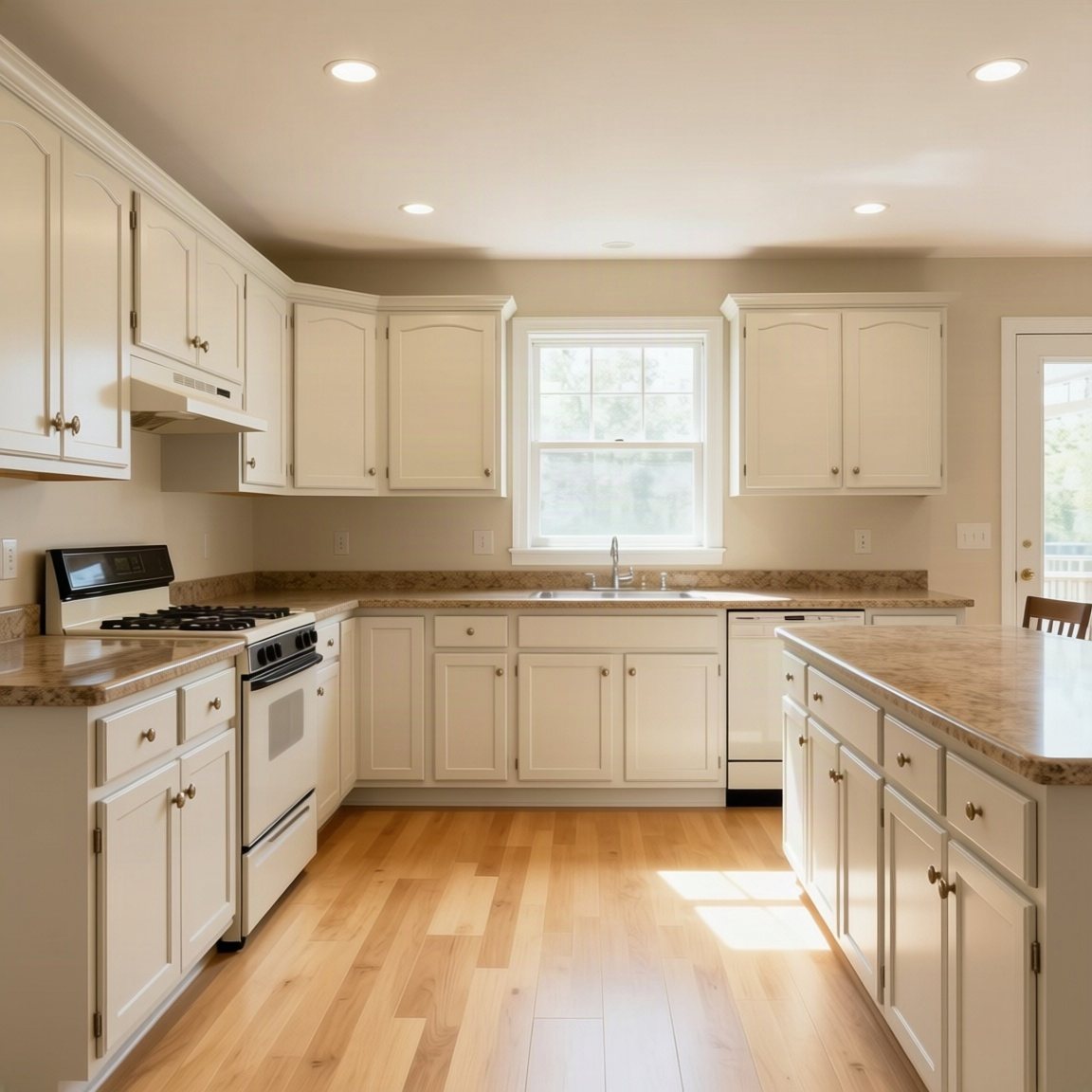
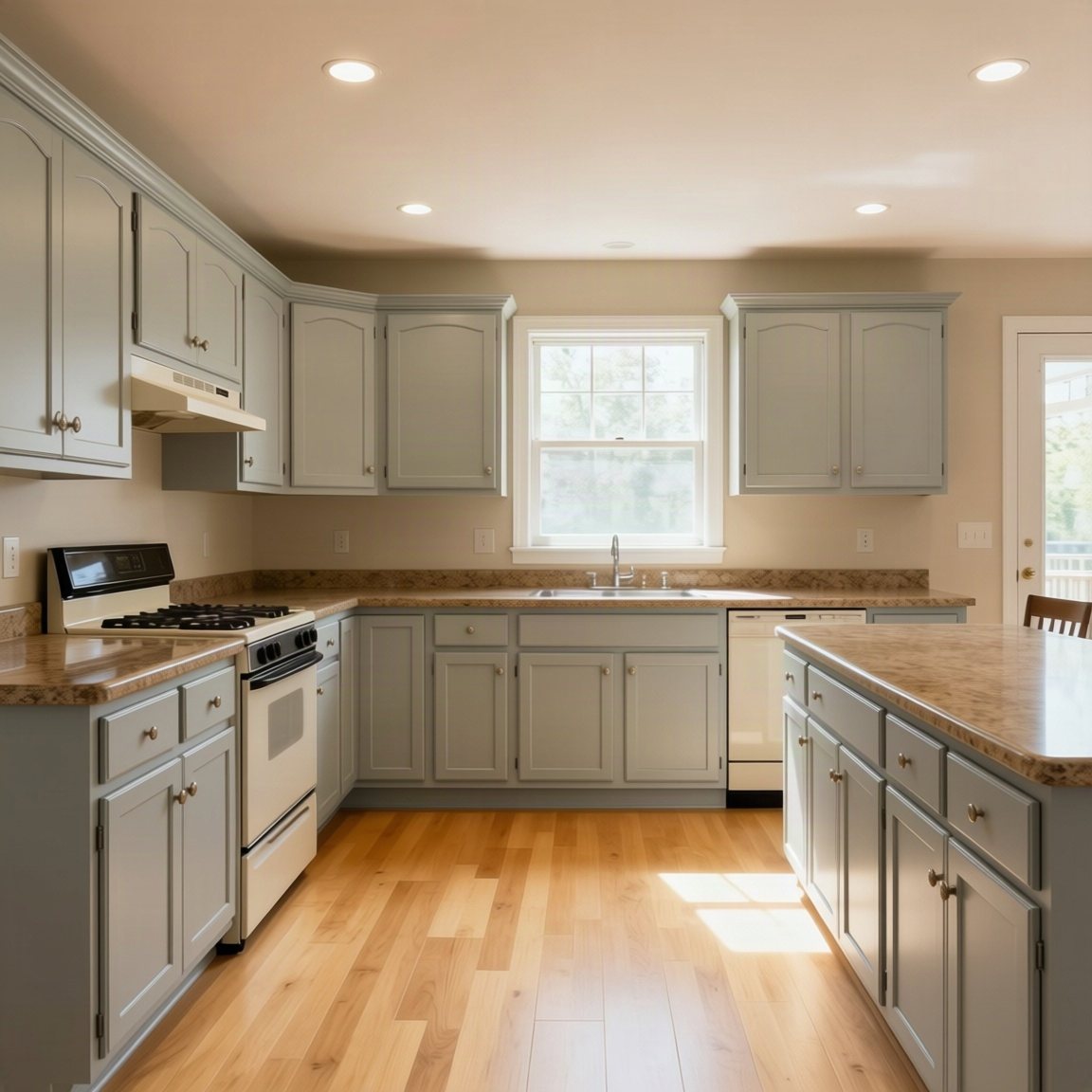
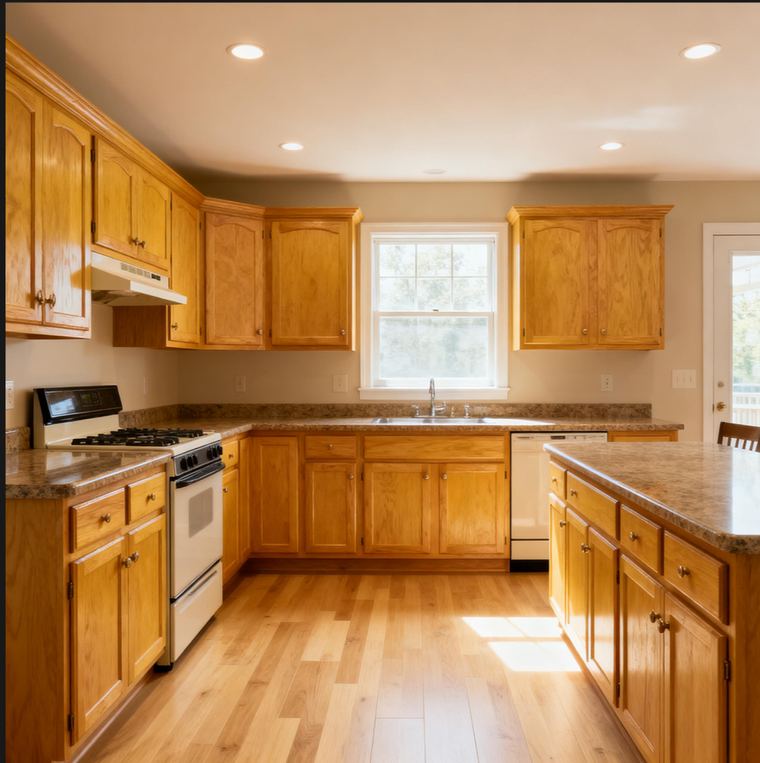
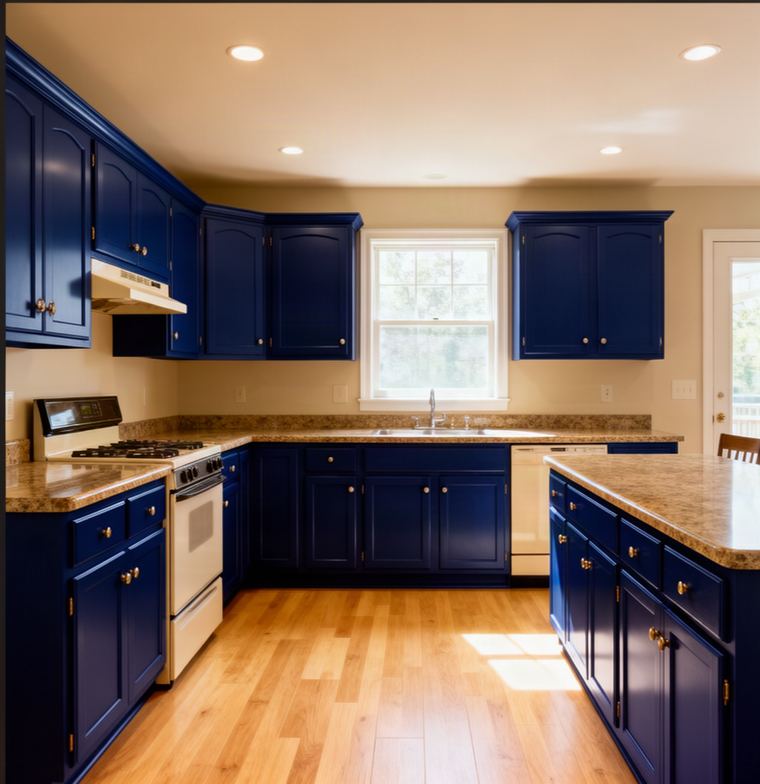
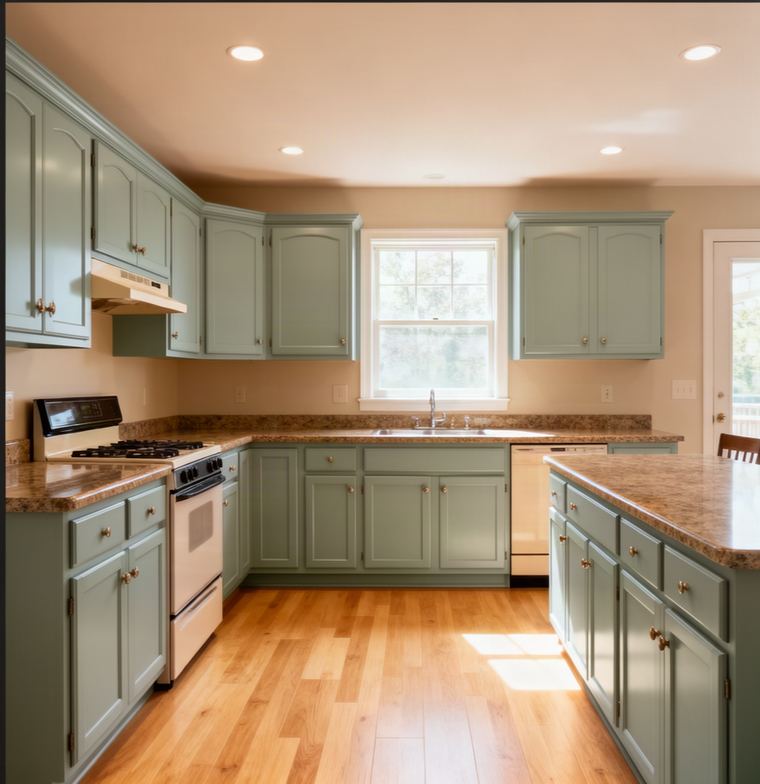
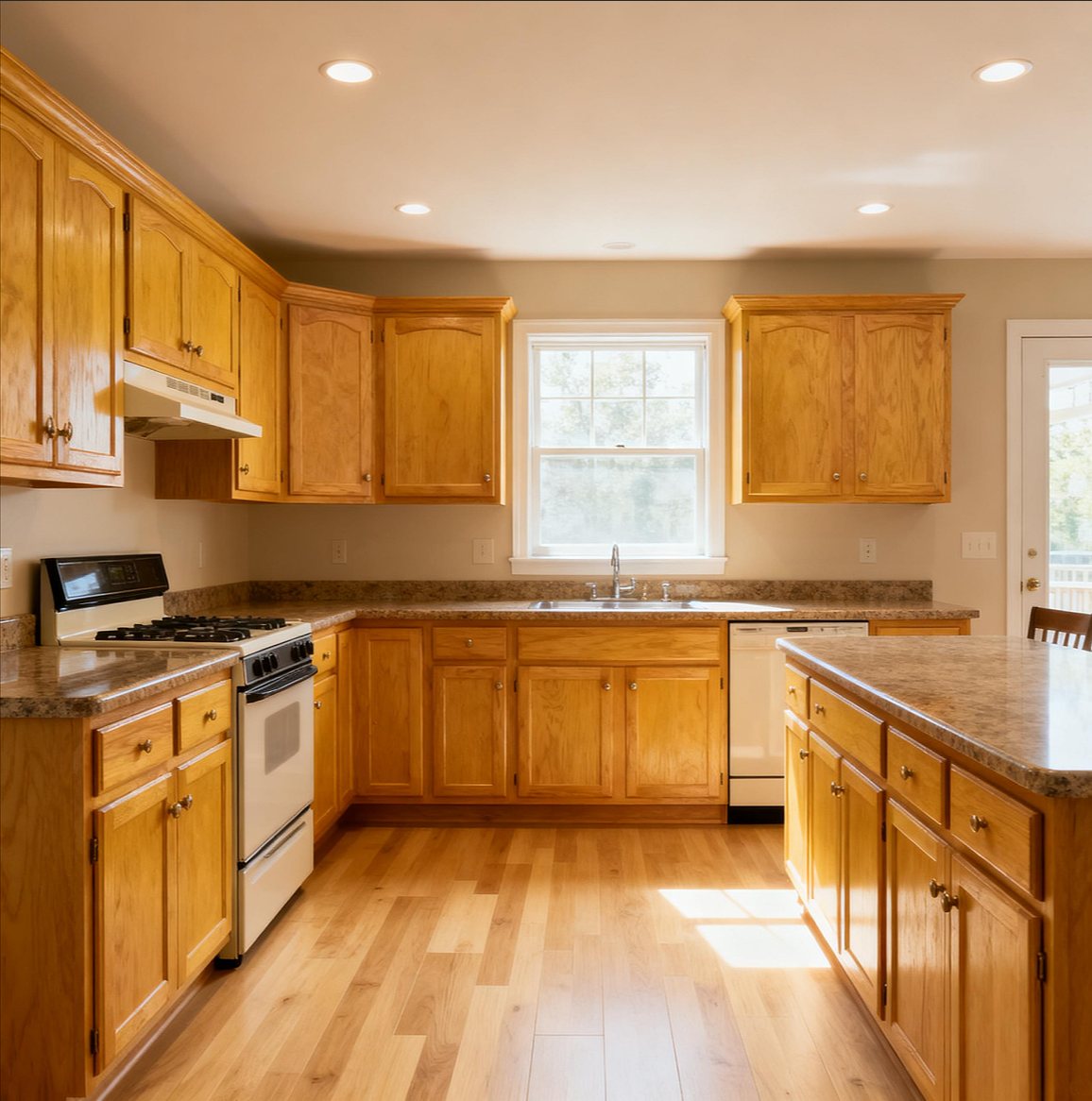
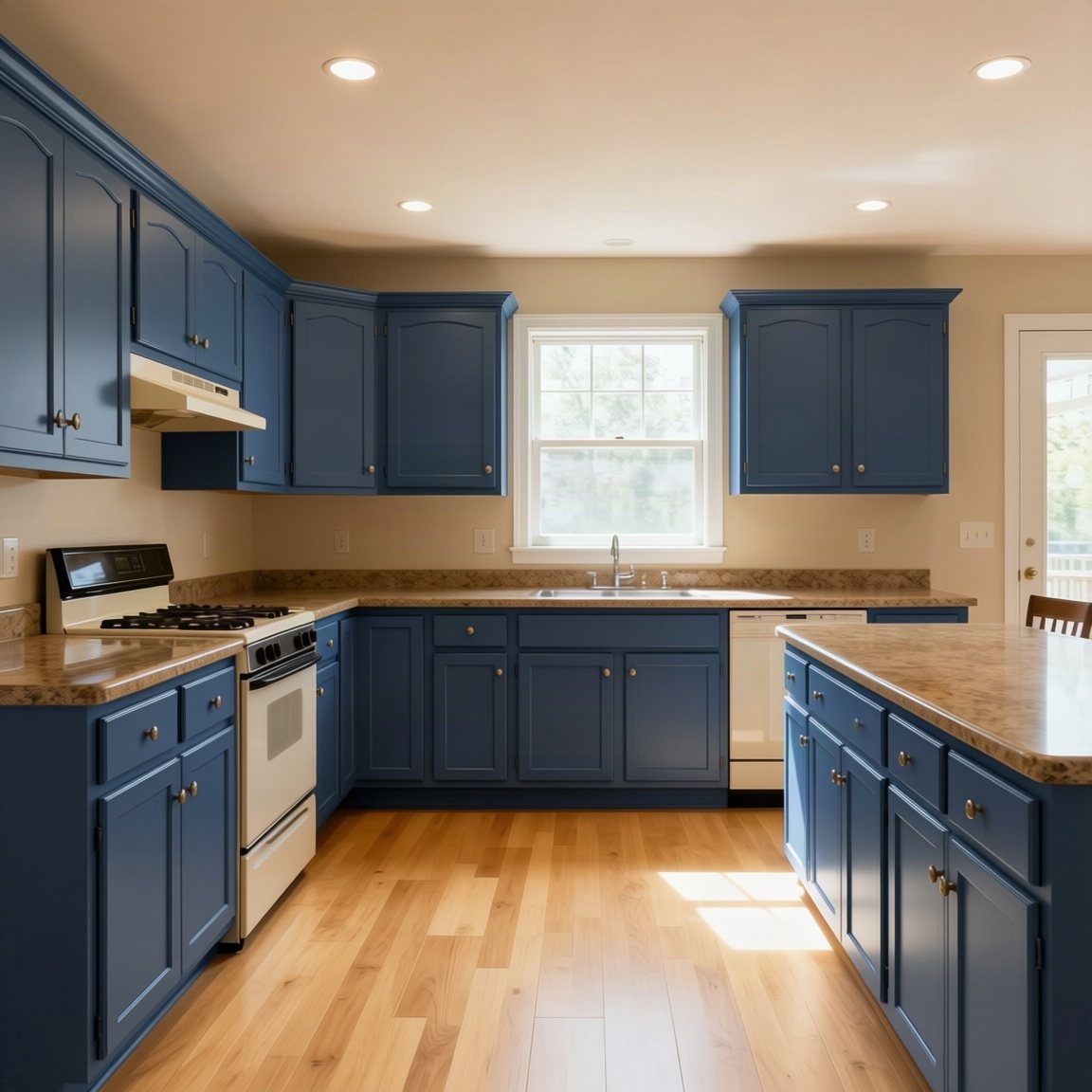
Kitchen cabinets, before Kitchen cabinets painted Naval
Before After
Tap a color · the wall follows · drag to compare

Every download auto-branded with your logo & contact info

Try it now

See it painted, before you buy a drop.

Pick a room and a color. A sample pot costs $10 to $15 and shows one square foot; this shows the whole room, for cents. It is the same renderer our customers point at their own photos — these three just happen to be ours, so you can try it without signing up.

Before After
Pick a color

Previews are illustrations produced by an image model, not color-matched proofs. Always check a physical sample before buying paint.

Color match New

Customer sent you a picture? Name the paint in seconds.

Homeowners show up with screenshots, Pinterest boards and AI pictures of their house. Tap the color and Paintrz gives you the closest real paint in every brand you buy from, with a match score, then a card with your logo to text straight back. No guessing at the counter, no wrong-color repaints.

  • Any photo. Take one, pick one, or use a screenshot or an AI image.
  • A score, not a guess. Every match shows how close it is. Tap something white and it corrects for the light; add more photos to refine it.
  • Every brand at once. The best match in Sherwin-Williams, Benjamin Moore, Behr, PPG and more, side by side.
  • Share it. A clean card with the photo and the top paints. Painters put their own logo on it.
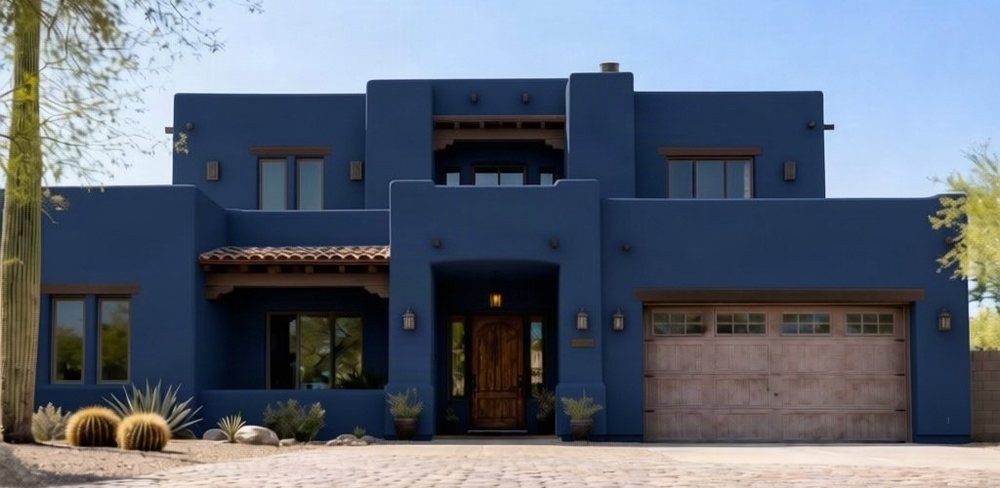
A house painted deep navy#233654
Closest paints
Symphony BlueBenjamin Moore 2060-1090.4%
Bold BlueBenjamin Moore 2064-1087.3%
Wild IrisKelly-Moore KMA42-585.5%
Best in each brand
Sherwin-WilliamsDress Blues84.6%
PPGVictory Blue81.8%
BehrBon Nuit78.9%
Dunn-EdwardsSinging the Blues84.2%
The Ultimate Color Book

Every brand's fan deck. Free forever.
Offline, in your pocket.

41,000 real colors from 19 brands. Search by name, code or description, save favorites, find the closest match in another brand — with no signal and no account. Every chip here is one of them.

Hover or tap a chip · every one is a real, buyable color

What's actually in the app
51k41,000+ colors Real, buyable paint
2519 brands SW, BM, Behr, PPG…
#Real paint, by name and code Not an invented shade
33 colors per render Trim, body, doors
¢Cents, not $15 sample pots Every color they're curious about
Why Paintrz

Sell the destination, not the flight.

Nobody buys a paint job because of the process. They buy it because they can already see the room finished — in their house, in the color they picked, before anyone opens a can.

Every other bid
  • ✕"Trust me, it'll look great" — and they have to imagine it
  • ✕Swatches taped to a wall, fighting the room's light
  • ✕$10–15 a sample pot, one square foot at a time, and a trip to the store for each
  • ✕Days of callbacks while they think it over
  • ✕The decision gets made after you've left
Your bid, with Paintrz
  • →Their actual room, finished, while you're standing in it
  • →The exact color they can buy, on their own walls
  • →Three colors at once — trim, body and doors together
  • →Every color they're curious about, for cents each, no store run
  • →They decide in front of you, not after you've gone
  • →Leads get their own house painted before they get a price
Found in the field

Two things we didn't plan for. Both close jobs.

We built Paintrz for the walkthrough. Running it on our own painting company taught us it works before the walkthrough, and after it.

Before the walkthrough

Warm up a lead with their own house

A lead comes in from Facebook. Every other painter answers with a price and an ask. You answer with their house, in the color they mentioned, rendered from the photo they sent, or one you took from the street. No number, no pressure, just the finished job.

They open a text with a picture of their own home painted. That is the first thing they see from you, and it is the reason they take the call.

  • →Render from any photo they send, or one you take from the curb
  • →Share it straight from the app with the color's name and code in the message
  • →Your logo and number on the picture, so it keeps selling after they forward it
After the walkthrough

Find out what they really want done

Hand a homeowner a guest link and watch what they photograph. Ours took pictures of rooms that were never in the estimate, just to try colors on them. They were not browsing. They were telling us what they wanted painted next.

Every guest render is a photo of a surface they are thinking about, with the color they are leaning toward. That is the upsell, written down for you, before you have quoted it.

  • →See every room a client renders, and the colors they tried, in your Leads and History
  • →Quote the extra room while the color is still on their screen
  • →Renders through the widget arrive with the homeowner's name and number
41,000+
Real paint colors, searchable
25
Major brands, by name and code
3
Colors in a single render
1
Visit to close
✓Built by a working painting contractor for his own walkthroughs
✓Real manufacturer colors by brand, name and code
✓About ten seconds a render measured, not promised
✓Two free corrections on every render
✓Cancel anytime no contract, no setup fee
✓Never quotes or prices a job that stays with you
The real difference

Anyone can ask an AI for a blue kitchen.

You can't sell one. A generic image tool invents a color that looks nice and doesn't exist — no brand, no code, nothing your client can walk into a store and buy. That's the whole gap.

A generic AI image tool
  • ✕Invents a color. It looks good and you can't order it.
  • ✕No brand, no product code, nothing to hand the paint desk
  • ✕Redraws the room — new cabinets, moved window, wrong hardware
  • ✕One color at a time, if you're lucky
  • ✕No logo. It's obviously not from your company.
  • ✕Nothing you'd hand a homeowner to hold
Paintrz
  • →Painted in a real, purchasable color, from the manufacturer's own value
  • →"Sherwin-Williams Naval, SW 6244" — brand, name and code
  • →Keeps their room. Repaints only the surface you named.
  • →Trim, body and doors in one render
  • →Your logo and number burned into every image
  • →Hand them your phone — or send it to theirs
Product

Built for the walkthrough, not a dashboard.

Every feature here exists to survive one moment: a homeowner holding a phone, deciding. The three things every paid competitor charges for, branded output, a link for the homeowner and a phone-first flow, are in every plan.

01

A real color, not a lookalike

The render is painted from the manufacturer's own published value for the color they chose, in the room's own light and shadow, and every image carries the brand, name and code so the paint desk mixes exactly that. Screens and lighting vary, so we still say: check a physical sample before you buy.

02

41,000+ colors they can actually buy

Sherwin-Williams, Benjamin Moore, Behr, PPG, Valspar, Dunn-Edwards and 13 more. Tap a brand, tap a color group, or just type. Shades are grouped by their real color, not the catalog's label, and each brand's best sellers sit on one tile.

03

Three colors in one render

Trim one color, body another, front door a third — the way a real exterior is actually quoted. Say what goes where in plain words: "trim white, body gray, door navy."

04

Your company, not ours

From Starter your logo and contact details are burned into every render they keep and the app wears your colors. From Crew the Paintrz mark comes off entirely and your own photo sits behind the app — the client never sees our name at all.

05

Client Mode — hand over the phone

One tap hides your balance, your billing, your settings and every other customer's job. They see their logo-topped screen and this visit's renders. Nothing else.

06

Let them try it themselves

On any paid plan, show a QR code and the homeowner runs colors on their own phone for a set window — still branded as you, still billed to you. They play; you keep the credit.

Proposals Beta

Three options. Their own kitchen. Every color they are weighing.

A Paintrz proposal puts Good, Better and Best side by side, each with the customer's own room painted in the colors you recommend. Tap a color and the picture changes. They pick an option, sign on your phone and pay the deposit before you leave.

The customer's kitchen in AlabasterGood
Builder Grade System$3,480

Premium acrylic, one primer coat and two finish coats, brushed and rolled.

Choose Good
The customer's kitchen in Revere PewterBetter
Premium System$5,120

Urethane-modified enamel, doors sprayed off site, hardware reset.

Choose Better
The customer's kitchen in NavalBest
Elite System$7,640

Factory-grade finish, doors force-cured for instant use, lifetime touch-up kit.

Choose Best

Pictures are Paintrz renders of the same kitchen. Prices are an example.

Run the job Beta

Then run the whole job from the same app.

The render wins the yes. Everything after it is in Paintrz too: the estimate, the signature, the deposit, the schedule, the crew, the subs and the money - on the phone in your pocket, not a desktop back at the shop.

Beta The business tools are in beta: live, in daily use by painting crews, and still being tested. Tell us what breaks and we fix it.

01

Every client and job in one place

One record for the person and the property: phone, address, photos, renders, estimates, invoices, messages and notes. Search from the top of the list, tags and sources, and a board that shows every job by where it is.

02

Estimates that sell the upgrade

Build from your price book and templates. Put Good / Better / Best options on one proposal with the customer's own room painted in each, and let them pick. Their photos and colors ride along on the estimate.

03

Signed and deposited at the kitchen table

Present on your phone, they choose an option and sign on the glass, the deposit invoice is made on the spot, and you pick the paint days before you leave.

04

Invoices and getting paid

Deposits, progress and final invoices from the estimate. A Pay button that uses your own payment link, cash and check logged in a tap, reminders before and after the due date, receipts automatically.

05

Schedule that matches your calendar

Pick the paint days and the job goes on your Google Calendar and moves when the job moves. The customer gets a reminder the day before; you get your day on one screen.

06

Crew in the field

Crew log time, before and after photos and expenses from their phone, and see only the jobs they are on. When a job finishes, Paintrz asks what it cost, so every job has a real profit number.

07

Bidroom: work to your subcontractors

Send a work order to one sub or open it to your approved subs by tier. They sign your terms, upload W-9 and insurance, accept, message you, send their invoice. Nothing is awarded to a sub missing paperwork.

08

Numbers that run the business

Close rate, average job, customer lifetime value, what you have booked on the calendar, what is owed, what sells most, and the profit on every job, for any period.

09

Your own AI agent

Ask it "who owes me money", "what's on next week", "what do we sell most". It answers from your own records only - nothing leaves your account - and it knows how every part of Paintrz works, so it is your first stop before support.

10

Follow-ups, reviews and online booking

Estimates check in on the customer by themselves, finished jobs ask for a review, and a booking page lets homeowners book an estimate visit straight onto your calendar.

11

Match any color from a photo

Photograph a wall, a cabinet or a chip and get the closest paint in every brand with a match score, or send the customer a branded match card with the top options.

12

Lead management add-on

Every lead in one inbox with its status and notes, turned into a job in a tap. Estimate follow-ups and review requests go out on their own by email (texts coming soon). Drip and nurture sequences through Practical CRM.
Switching Beta

Coming from Housecall Pro, Jobber or another CRM? We move you in.

Your customers, jobs, estimates, invoices and payments come across with their old numbers kept, and nothing is sent to your customers while we do it. Most CRMs make leaving hard; we do the work. Ask when you sign up.

Product principle

The reveal does the closing.

Every Paintrz screen opens with the finished photo, not a form. Nothing gets in the way of seeing the color, in the room, in seconds. Click the frame to see the reveal.

01
Lead with the photoThe render is the hero of every screen it appears on — nothing sits above it.
02
Every color, before you commitSee exactly how a color reads in the room's real light before a single can gets opened.
03
You still look like the expertIt's a tool you show a client in person — it should make you look prepared, not replaced.
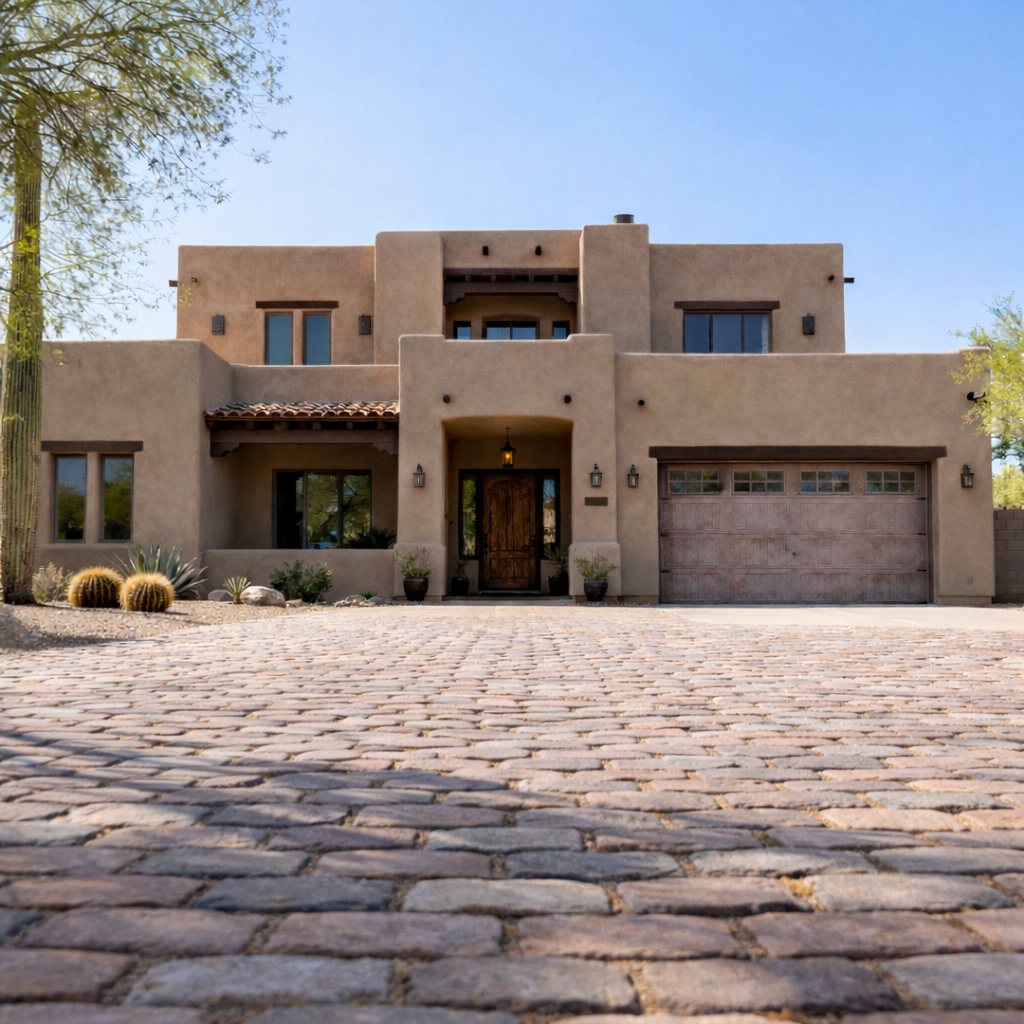
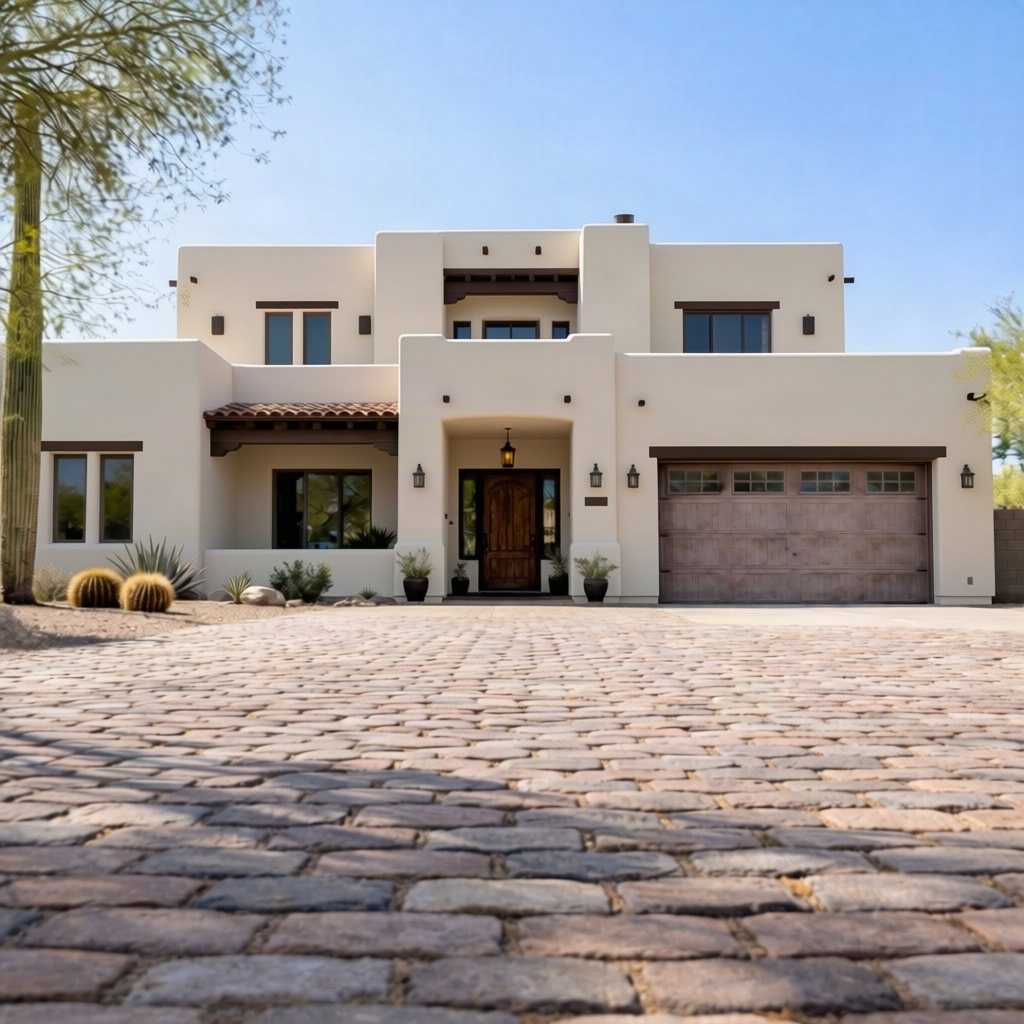
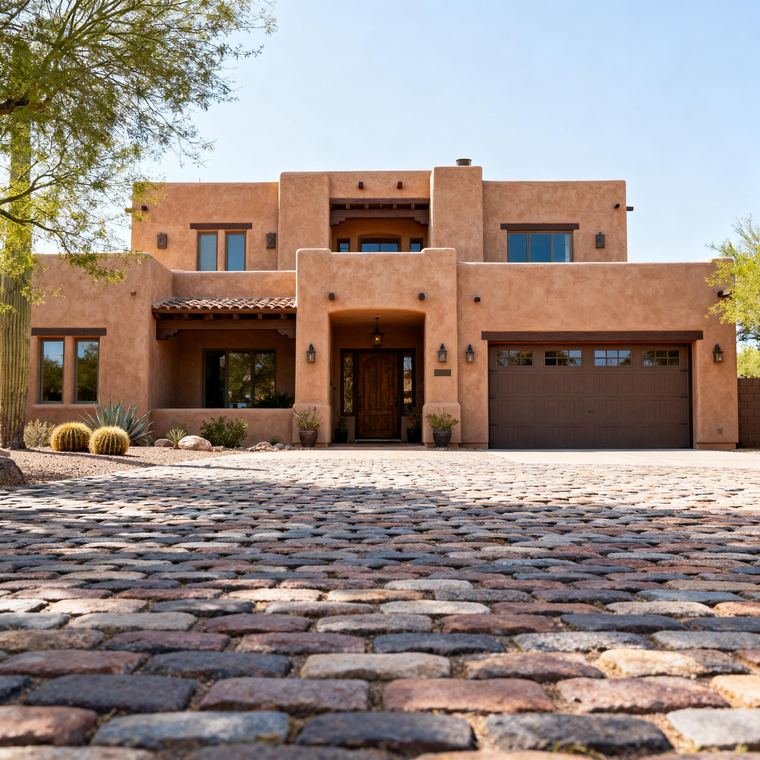
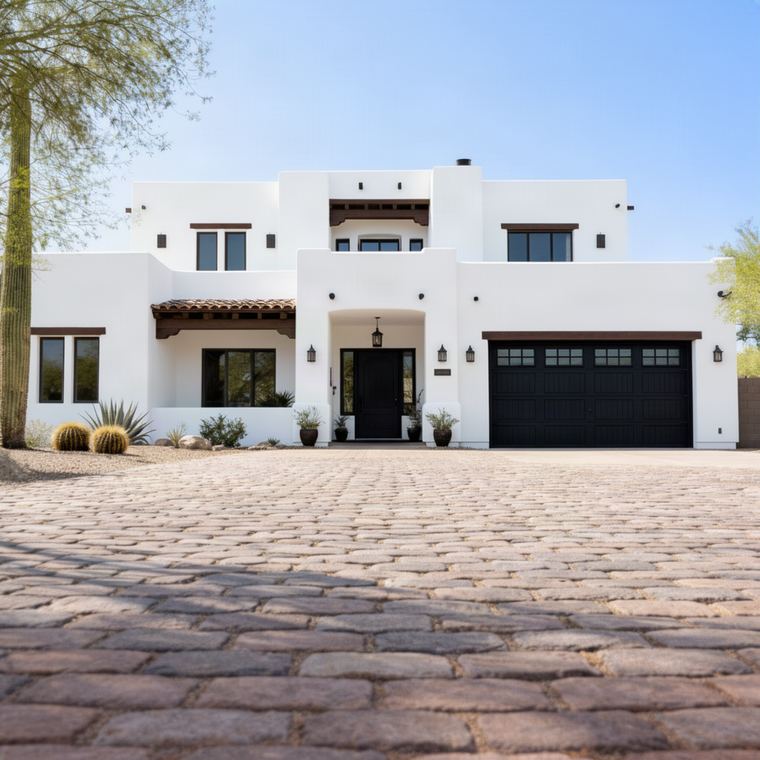
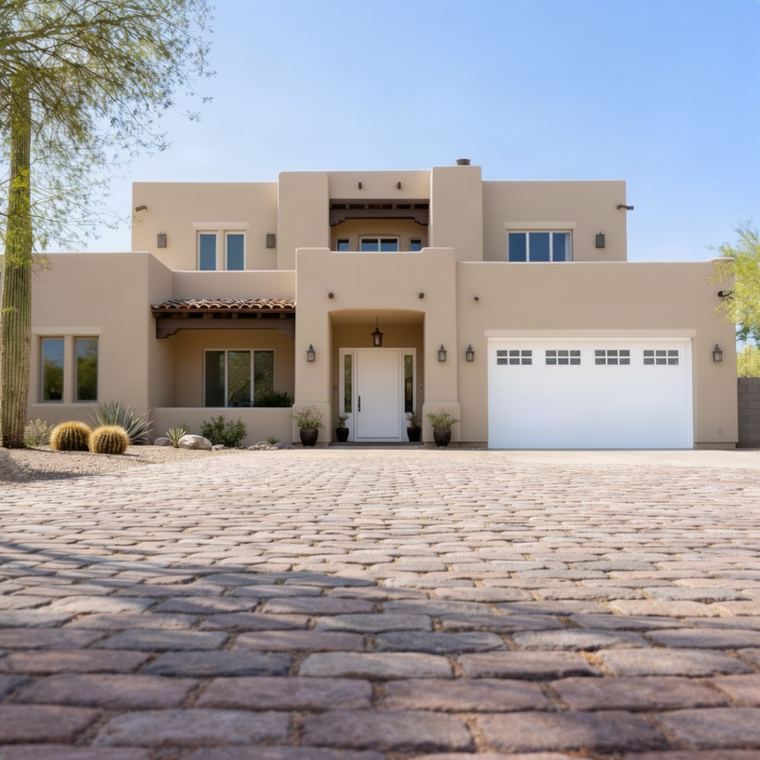
Exterior, before Exterior painted Alabaster
Before After

Tap a color · drag the handle

07

Branded on screen and on every export

A frosted header carries your logo and contact line, a footer carries the colors by name, code and brand, and the picture sits untouched between them. That is what they see in the app, what they download, and what they share.

08

Share it straight to their phone

One tap opens the phone's own share sheet with the branded render and the color names in the message. Text it, WhatsApp it, email it. Their partner sees it in the time it takes to walk to the truck.

09

Phone first, driveway first

Take the photo in the app, say what to paint, pick the colors, Generate. The button never leaves the bottom of the screen and a render lands in about ten seconds. No laptop, no desk, no "I'll send it tonight."

10

Before and after, on their own photo

Every render sits over the original with a handle they can drag. Their kitchen, their light, the only thing that changed is the paint. That is the moment the sale happens.

11

Search any brand the way people say it

"SW accessible beige", "BM hc-172", "behr swiss coffee", even a typo. One box, every brand, with each brand's best sellers on a Most Popular tile and your last eight colors one tap away.

12

It gets more accurate every week

Fix a render in a tap: lighter, darker, warmer, more gray. Rate it in another. Every render and every rating trains a color model built for one job, making paint on a screen match paint on a wall.

13

Say "baby blue", get the real one

The homeowner says it in words, you type it in words: baby blue, warm off-white, muted sage. Paintrz lays out the closest real paints from every brand it carries, nearest first, and one tap makes it the exact color on the render. No swatch deck, no guessing which brand has it.

How it works

Four steps. One visit.

All of it on the phone already in your pocket, standing in their kitchen.

01

Snap

Photograph the wall, the room, or the whole front of the house.

02

Pick real colors

Up to three, from 41,000+ across 19 brands — by name, code or family.

03

Say what to paint

"Trim and the front door." Plain words, so nothing else in the photo changes.

04

Show them the result

On your phone in Client Mode, or on theirs with a guest link. The room does the closing.

See it in action

Same room. Every color they're considering.

Two real Paintrz sessions — each prompt rendered in seconds, right on top of the client's own photo.

01

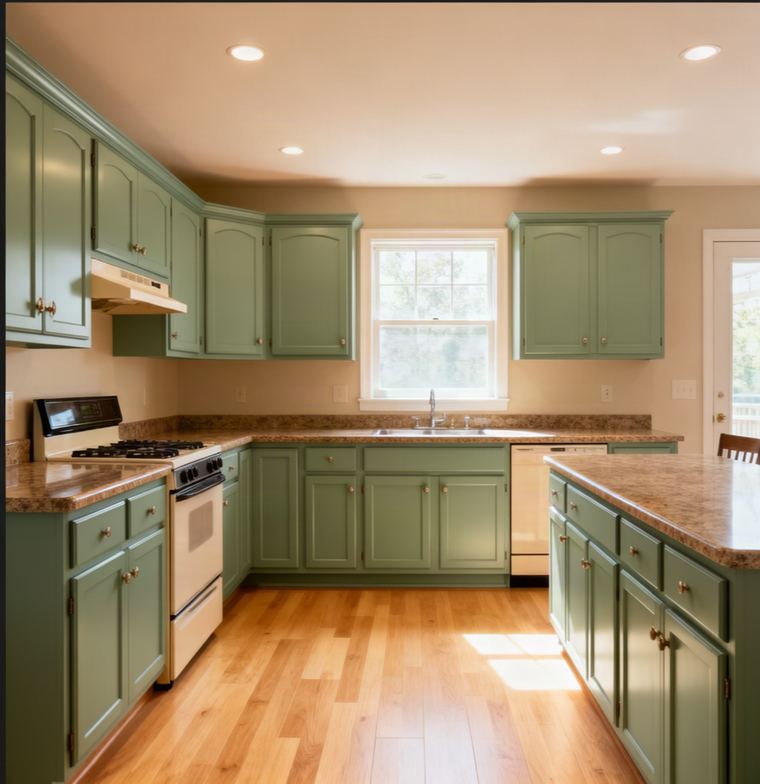
Cabinet reface, three passes

Original
Prompt

Original photo, as-is oak cabinets.

StartOriginal photo, as-is oak cabinets.
Prompt"Make these cabinets navy blue."
Prompt"Now make them green."
Prompt"Lighter — less green, more gray."
02

Exterior repaint, two directions

Original
Prompt

Original photo, stucco as-built.

StartOriginal photo, stucco as-built.
Prompt"Make this house white with black trim."
Prompt"Make it SW Accessible Beige with white trim."
Who built it

Painters, not marketers.

Paintrz was built by a working painting contractor for his own walkthroughs, because describing a finished room kept losing to showing one.

Built alongside Paintr, a working painting and handyman company. Every decision in this app came out of a real driveway conversation, not a product meeting.

P
Paintr
The crew it was built for

It is strictly a color preview tool. Paintrz never estimates, quotes or prices a job — that stays where it belongs, with you.

✓
No pricing, ever
You quote. It shows.

Every render is billed to your account and branded as your company, whether it's on your phone, your crew's, or the homeowner's own device.

◆
Your name on it
Not ours
Every brand they'd buy from

19 brands. 41,000 colors. One deck.

Sherwin-Williams, Benjamin Moore, Behr, PPG, Valspar, Dunn-Edwards and 13 more. Hover a chip.

↑ Tap a color to see its name and code

Pricing

Start free. Pay when it pays.

Every account starts with 10 free renders in the first month and 5 a month after, no card. Then a monthly allowance sized to how often you're bidding, with extra renders at your plan's rate. Every plan gets the full color library and the same renderer. For scale: three sample pots at the store cost more than a month of Starter.

Free

$0 / month

10 renders your first month, then 5 a month

  • Ultimate Color Book: every brand, offline, on your home screen
  • Clients, estimates, proposals, invoices, schedule, crew and Bidroom Beta
  • Client mode on your phone
  • Paintrz branding on the picture
Start free
Crew

$49 / month

250 renders / month · ≈ 20¢ each

Extra renders at 20¢ each, your plan rate

  • For a busy crew closing on the spot
  • Everything in Starter, two and a half times the renders
  • AI agent: 400 questions a month
  • API and Zapier connections
  • No Paintrz mark. Your own background photo
  • Guest QR links for the homeowner's phone
Subscribe
Studio

$89 / month

600 renders / month · ≈ 15¢ each

Extra renders at 15¢ each, the lowest rate

  • For multi-crew shops on one standard
  • Everything in Crew
  • AI agent: 600 questions a month
  • Website lead widget, Leads inbox, email alerts
  • Your branding on what homeowners save
  • Extra renders at 15¢, the lowest rate
Subscribe
FAQ

Questions crews actually ask.

A full CRM. Clients and jobs, estimates and proposals with e-signature and deposits, invoices and payments, scheduling with Google Calendar, crew time and photos, subcontractors in the Bidroom, reports and an AI agent - on every plan. The renders and the color book are what win the job; the rest runs it.

Yes. We bring over your customers, jobs, estimates, invoices and payments, keep your old numbers next to the new ones, and switch every reminder off during the move so no customer hears from us. If your CRM will not export, we work from your own account with you.

No. Crew see only the jobs they are on. Subcontractors only see the Bidroom work orders you send them, with only the customer details you choose to share. Only you, the account owner, see the whole business.

Because a generic tool invents a color. It might look lovely, but it has no brand, no product code, and nothing your client can order at the paint desk — and it usually redraws the room while it's at it. Paintrz starts from a real, purchasable color, paints it from the manufacturer's own published value, and leaves the room, the light and the hardware alone. Then it puts your logo on the result and hands you something a homeowner can hold.

That's the point of the whole thing. The render keeps the room's real light and shadow, and the color is painted from the manufacturer's own published value — so you're showing Sherwin-Williams Naval, by name and code, not "a navy that looks about right". Screens and daylight will always differ slightly, so it complements a physical sample rather than replacing it.

Up to three in a single render — trim, body and doors, the way an exterior is actually quoted. You say where each one goes in plain words and the rest of the photo stays exactly as it was.

Yours. On every paid plan your logo and contact details are burned into every render, and your logo replaces ours inside the app, so a client looking over your shoulder sees your company, not a tool you bought. The free plan carries Paintrz branding.

Yes — that's what Client Mode is for. One tap hides your credit balance, your billing, your settings and every other customer's job, leaving only this visit's renders under your logo. On any paid plan you can skip the handover entirely and let them scan a QR code to run colors on their own phone for a limited window.

No, and it never will. Paintrz shows what the finished room looks like. What it costs is your call, your margin and your reputation — we stay out of it.

Free to see it work on your own photos. Starter for a solo painter or small crew bidding regularly, with your own branding, the website widget and guest links. Crew if you're closing on the spot most weeks. Studio if you're running multiple crews and want the lowest rate on extra renders.

Yes — Paintr is the contracting crew, Paintrz is the software built out of it. Same painless promise, two different jobs.

A sample pot is $10 to $15, covers about a square foot, needs a trip to the store, and a homeowner who wants to see four colors buys four of them and still has to imagine the rest of the room. A render costs cents, takes seconds, and shows the whole room in every color they're curious about. Samples still have a place for the final check — see the one they've already chosen on the wall, not the six they were deciding between.

Show them the destination.

Your first render is free. Bring it to your next walkthrough.

Start free